 Skip to content


The Campaign Optimization Score is one of the most important tools Google Ads gives you to improve the performance of your campaigns. Let’s take a closer look at the indicator that will allow you to find out how well your campaigns are optimized. In today’s article, we will look at personalized campaign optimization recommendations to improve their performance.
The Campaign Optimization Score is an estimate of how well your Google Ads accounts are set up. The score ranges from 0% to 100%, where 100% means your account is fully optimized. Campaign Optimization Score uses a combination of statistical models, simulations and automation to provide personalized and real-world recommendations.
What benefits will the Campaign Optimization Score bring you?
Optimization Score gives you instant, personalized insight into the health of your campaigns. It offers recommendations that are mostly tailored to your account and allow you to quickly and effectively improve the performance of your campaigns.
Optimization score sections for purchases
Bidding more effectively with Target ROAS
The recommended strategy sets bids automatically to maximize conversions or revenue at a target return on ad spend ROAS that you set yourself. It helps you get more conversion value for the same budget. The recommendation is applicable with one click. Advertisers can see a suggested ROAS target and adjust it as needed.
Setting ROAS goals
In order to achieve more conversions with a smaller increase in target ROAS, we recommend setting ROAS targets. This allows you to achieve higher growth targets and capture higher volumes of traffic, which can increase your margins. You can choose a recommended destination or edit it with one click.
Setting and increasing budgets
Simulations show that campaigns can achieve more conversions with less increase in overall ROAS. If the campaign budget is limited, it is recommended to increase the budget. By increasing budgets, you can get more conversion value than you would with the same ROAS. You can increase your budget with one click.
Transfer of unused budgets
Move budget between campaigns within an account. From campaigns with a budget surplus to campaigns that are under budget. Your performance will improve without reinvesting in your account budget.
More effective bidding with Enhanced CPC
Enabling Enhanced CPC for campaigns may result in performance benefits from using this feature. It automatically optimizes your bids at auction time for searches that are likely to lead to conversions. Enable Enhanced CPC with one click.
Conversion tracking
Turning on conversion tracking for campaigns that don’t have it enabled lets you track which clicks lead to leads. Set up conversion tracking outside of the referrals page, following the instructions and links provided in the referrals section.
Setting up audience sources
Create remarketing lists in accounts that don’t have any remarketing audiences set up using Google Ads or Google Analytics. Access to remarketing features allows you to increase your ROI by showing you more personalized ads. In the Google Ads Audiences folder, click the icon to add your first audience to the campaign.
Uploading customer lists
Add customer lists to accounts that do not have account-level customer lists uploaded. This will help you increase your ROI by showing more personalized ads.
Expanding your reach with Google Search partners
Add Google Search partners to reach more customers with lower cost per click (CPC). Extending your reach with Google Search partners helps to extend the reach of your ads and increase traffic. You can add Google Search partners with one click.
Creation of Performance Max campaigns
Create Performance Max campaigns to maximize reach and performance. This will help you get a higher conversion value for the same cost. Referral is not applicable with one click. The expanded recommendation card will provide more detailed information on how to apply the recommendation.
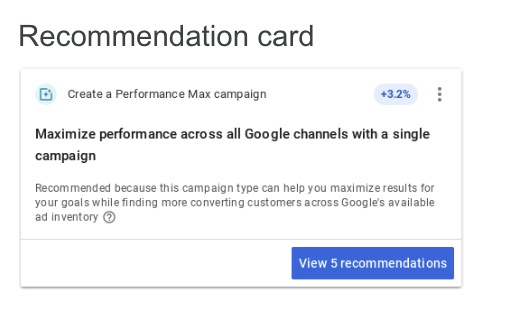
Target more bids with Performance Max campaigns
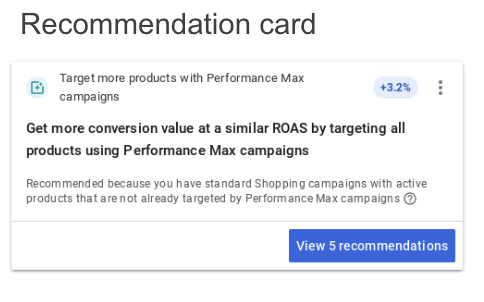
Extend Performance Max campaign spend and product coverage by moving products and budgets from existing regular shopping campaigns to Performance Max campaigns. This way you get a higher conversion value for the same cost. A recommendation cannot be applied with one click. After expanding the referrals tab, you will see a list of campaigns to move.
Fix rejected products in Shopping campaigns
Ads cannot be displayed for rejected products, so these products need to be fixed. The recommendation for rejected products shows a list of campaigns and their percentage. Clicking “Get Started” will take you to the Product Diagnostics view, where you can fix rejected products in the Merchant Center.
Adding products to Shopping campaigns
Add products to Shopping campaigns that have no products due to feed or inventory filters in the Merchant Center. Make sure your campaigns can show ads. Click “Get Started” and you’ll be taken to your Merchant Center account to add items to your feed or edit your filter.
Conclusion
Google Ads provides simple steps to incorporate referrals into your campaigns. Most recommendations are one-click actionable, with detailed instructions available in the Google Ads Help Center.
The Campaign Optimization Score is a key tool for anyone looking to maximize the ROI of their campaigns and improve their overall performance. By using personalized recommendations and procedures in Google Ads, you can achieve better results and use your budgets more efficiently.