 Skip to content


How to Set Up Free Listings in Your GMC Next Account
Free Listings have been active in the EU since October 20, 2020. With Free Listings, you can promote your products at no cost in the Google Shopping Tab. Your products can appear in Google Search, the Google Shopping section, and other locations within Google’s ecosystem.
Please note that Free Listings do not impact the performance of your paid ads in any way.
As your CSS Partner, we are unable to select any CSS partner (including ourselves) as the representative for your Free Listings. This means that all configurations must be completed by you. While Google has assured us that this process will eventually be automated, this is unfortunately not the case yet, and you are required to manually complete all the necessary steps.
If you are already using the services of a CSS partner, access to this section will not be available. Access to the CSS Dashboard is only possible if your GMC account is using the Google CSS service.

Setting Up Free Listings in GMC
The sequence of individual steps can be completed through two setup options, and correctly performing them will ensure that your Free Listings are fully functional.
1. First, sign in to your Google Merchant Center Next account. After signing in, go to the Settings section and click on General.
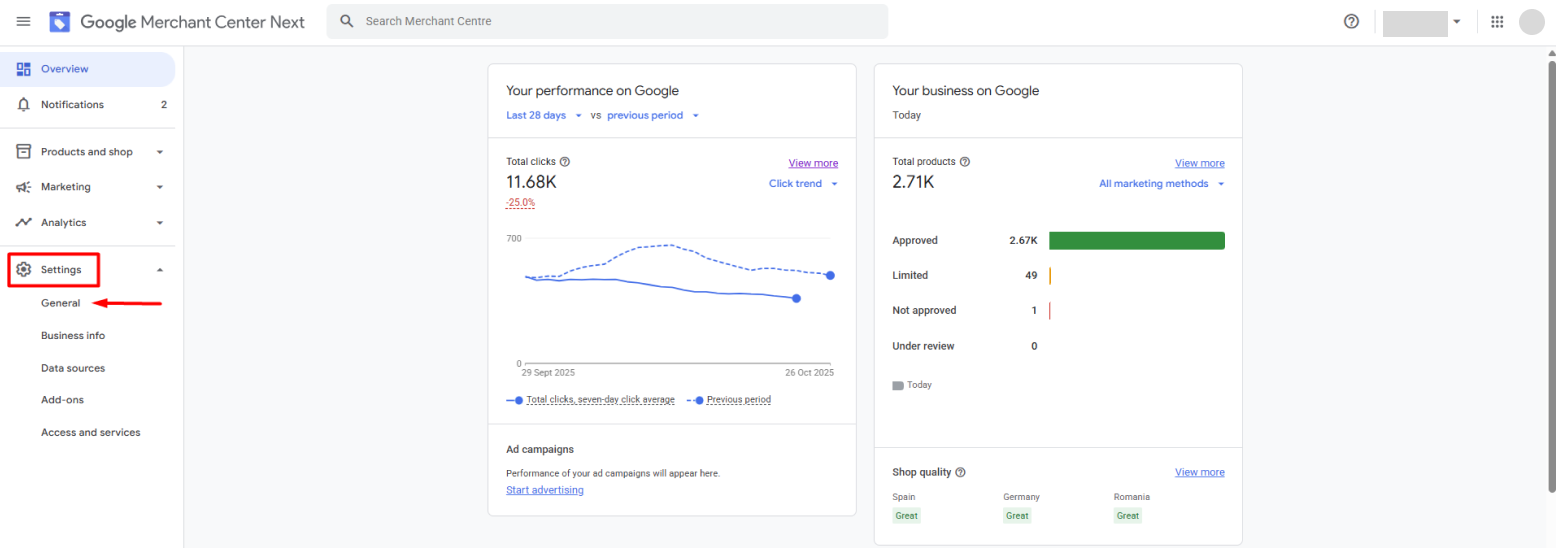
Within General information, select Comparison Shopping Services. This section provides tools to manage the CSS services you are currently using.
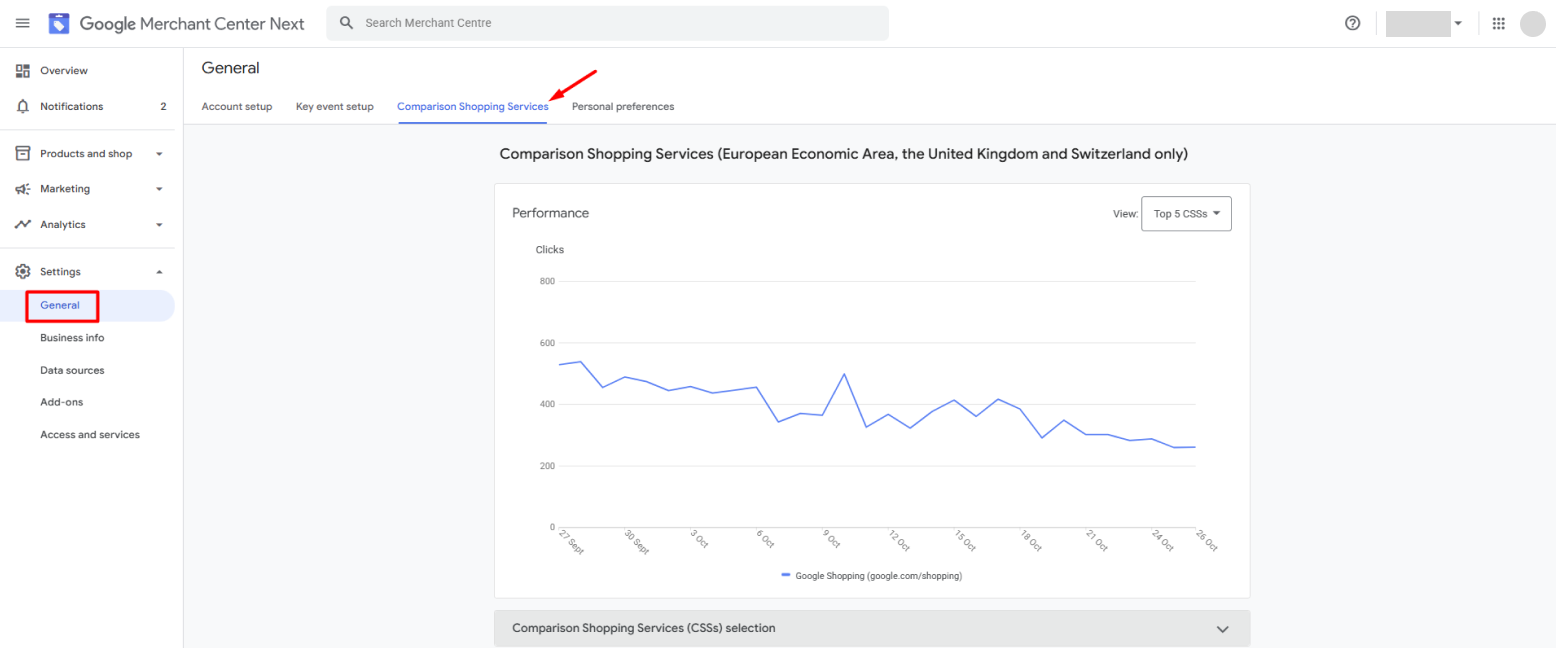
2. When the Comparison Shopping Services Selection (CSSs) drop-down menu is expanded, two possible outcomes may occur:


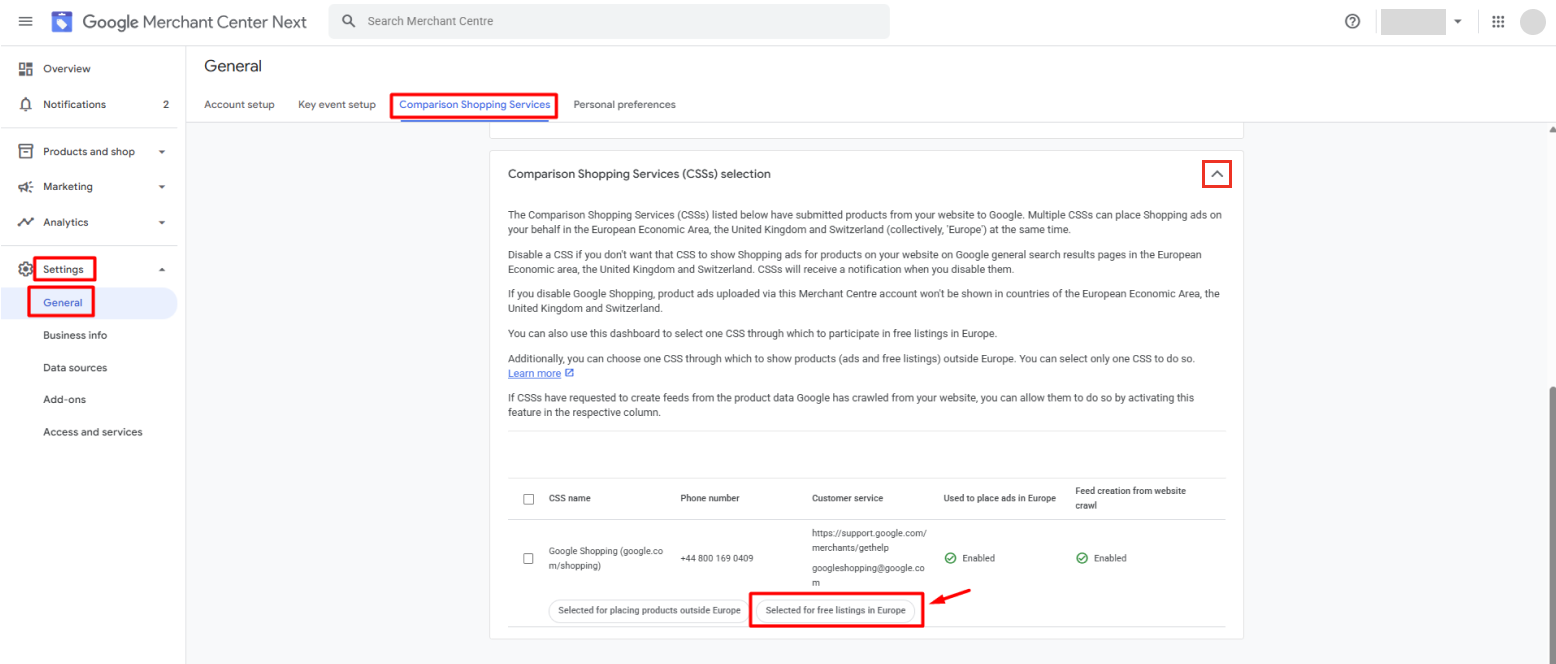
3. At the end of the process, navigate to the Settings section of your Google Merchant Center account to accept the request related to the setup of Free Listings. By accepting this request, you confirm the selection of your designated CSS partner for Free Listings.
If you are unable to see the CSS dashboard
1. Use your Google Merchant Center account. In Europe, each Merchant Center account is associated with a CSS. Accounts associated with Google Shopping require that the user claims the merchant website, this means they need to prove that they actually are the merchant or are authorized by the merchant. The CSS Dashboard is only available when the Google Merchant Center is under the Google CSS program, to ensure that these decisions are genuinely made by account owners and not by their CSS partners.
2. Claim your website. To ensure it is your business that is managing the CSS dashboard, we ask that you verify your business and claim your website. If you already have a Google Shopping Merchant Center account, but you haven’t claimed your website yet, follow these steps to verify and claim the website.
Conclusion
Setting up Free Listings offers advertisers a unique opportunity to enhance the visibility of their products and services without incurring additional advertising costs. To maximize their effectiveness, it is essential to configure them correctly in Google Merchant Center, as the setup process must be completed by the user. Should you have any questions regarding the setup of Free Listings for your online store or about Google Merchant Center, we encourage you to schedule a complimentary consultation with our experienced PPC specialists from the Shopping In EU team.